Overview
GymGoer sends transactional SMS messages to users of the GymGoer mobile app. These messages relate to user-initiated actions inside the app, including account verification, gym pass purchases, pass cancellations, payment failures, class bookings, and wellness bookings.
GymGoer does not use this transactional SMS campaign to send marketing, promotional, or advertising messages.
How Users Opt In
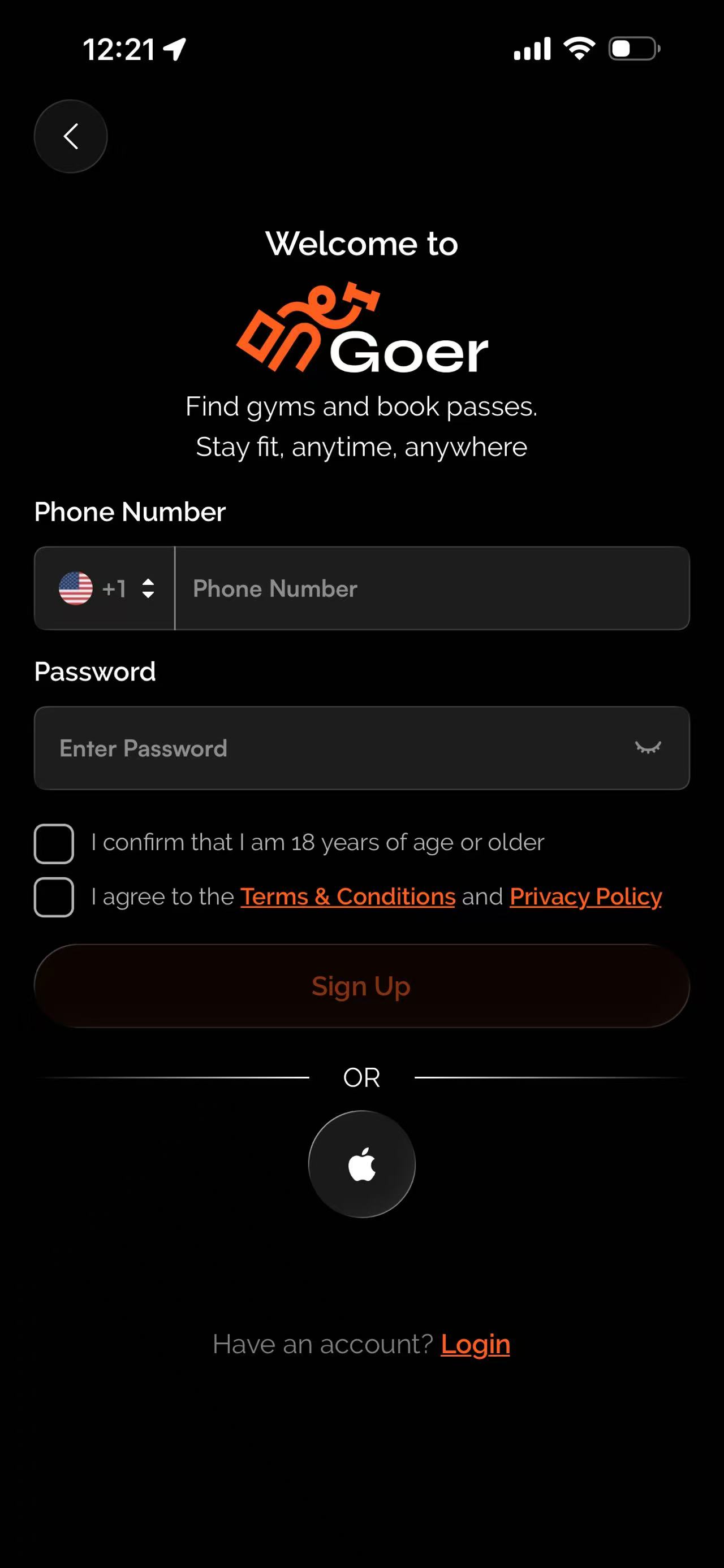
Users opt in through the GymGoer mobile app. During registration, users enter their mobile phone number, confirm they are 18 years of age or older, agree to the Terms & Conditions and Privacy Policy, and tap Sign Up. GymGoer may send a one-time SMS verification code to verify the user’s phone number.
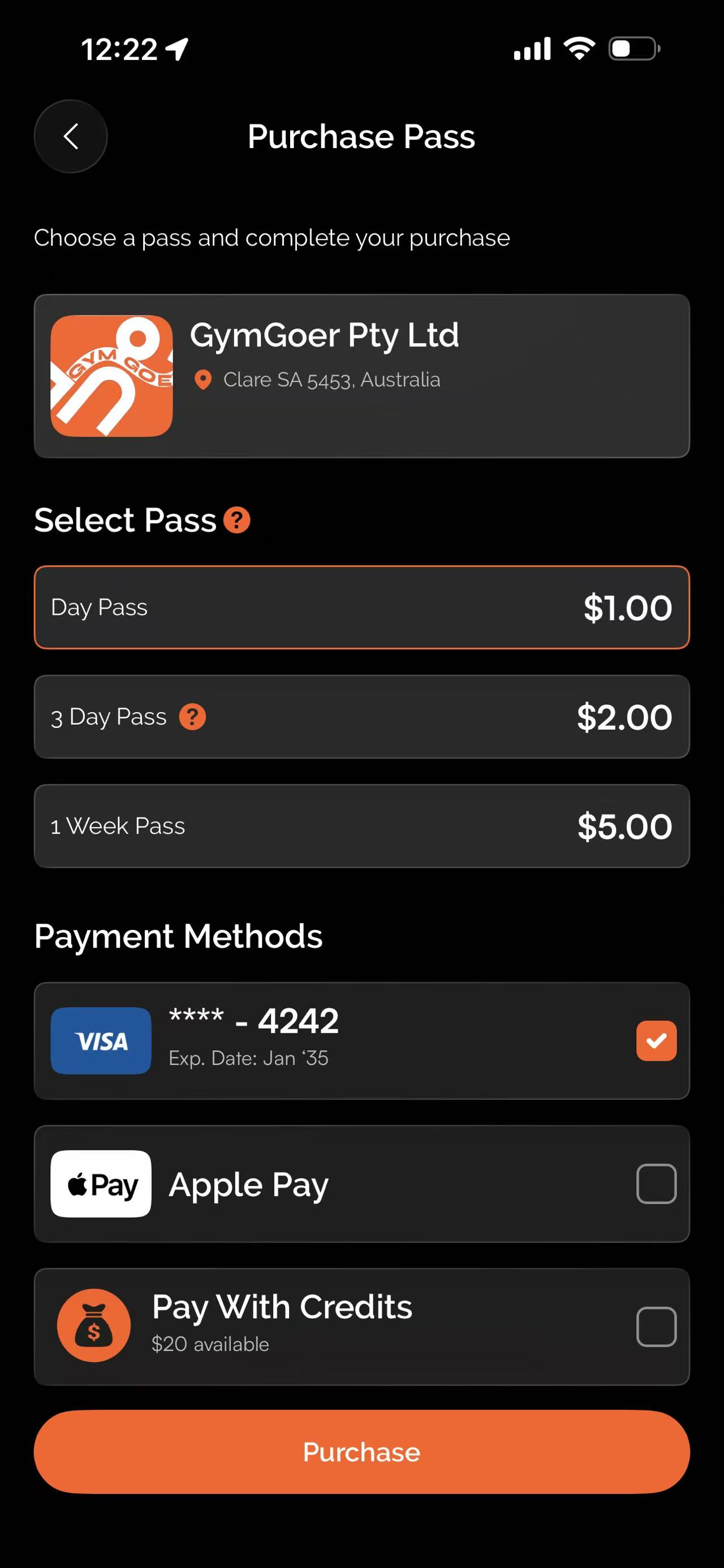
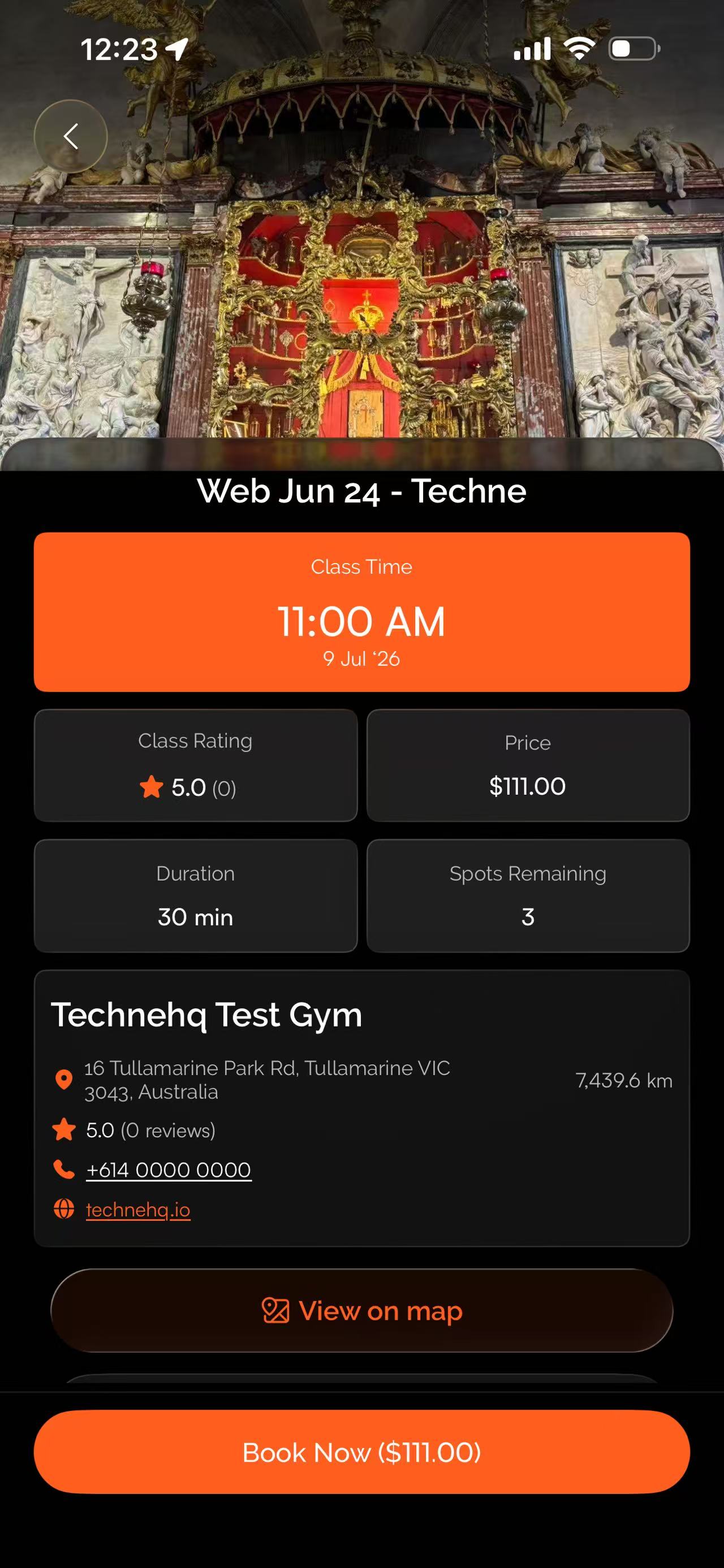
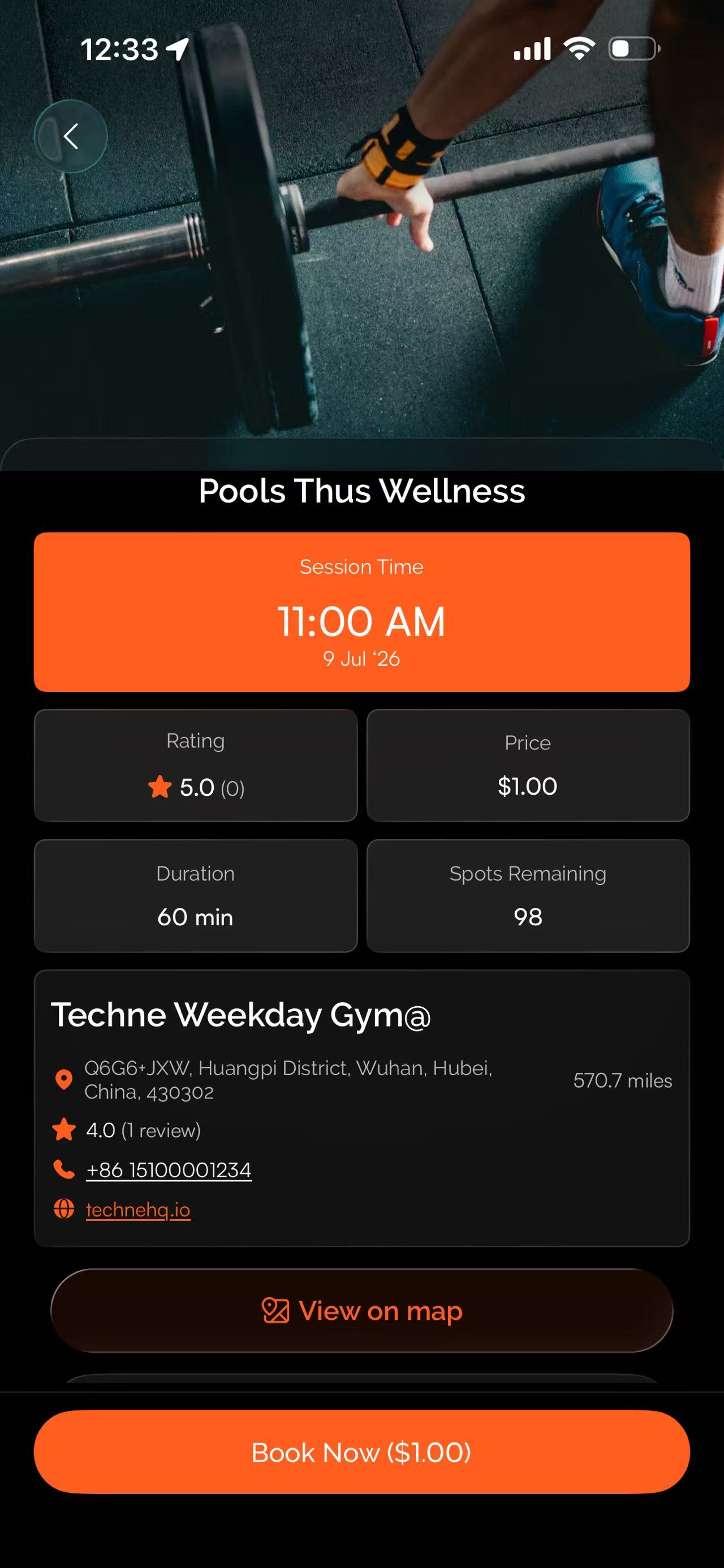
Users may also receive transactional SMS messages after taking user-initiated actions in the app, such as selecting a pass and tapping Purchase, booking a class and tapping Book Now, booking a wellness service, cancelling a pass, or completing other account-related actions.
Transactional SMS messages include verification codes, pass purchase confirmations, pass cancellation confirmations, payment failure notices, class booking confirmations, and wellness booking confirmations. These messages are sent only in response to user-initiated actions inside the GymGoer app.
Message frequency varies based on user account activity. Msg & data rates may apply. Users may reply STOP to opt out of SMS messages or HELP for help.
Consent Flow Screenshots
The screenshots below show where users provide their mobile number, agree to the Terms & Conditions and Privacy Policy, and take user-initiated actions that may trigger transactional SMS messages from GymGoer.
1. Registration Phone Number Screen
During registration in the GymGoer app, the user enters their mobile phone number and password, confirms they are 18 years of age or older, agrees to the Terms & Conditions and Privacy Policy, and taps "Sign Up". GymGoer may send a one-time SMS verification code to verify the user’s phone number.
2. Pass Purchase Flow
During the pass purchase flow in the GymGoer app, the user selects a pass, selects a payment method, and taps "Purchase". After a successful purchase, GymGoer may send a transactional SMS confirming the pass purchase.
3. Class Booking Flow
During the class booking flow in the GymGoer app, the user reviews the class details and taps "Book Now". After a successful booking, GymGoer may send a transactional SMS confirming the class booking.
4. Wellness Booking Flow
During the wellness booking flow in the GymGoer app, the user reviews the wellness details and taps "Book Now". After a successful booking, GymGoer may send a transactional SMS confirming the wellness booking.